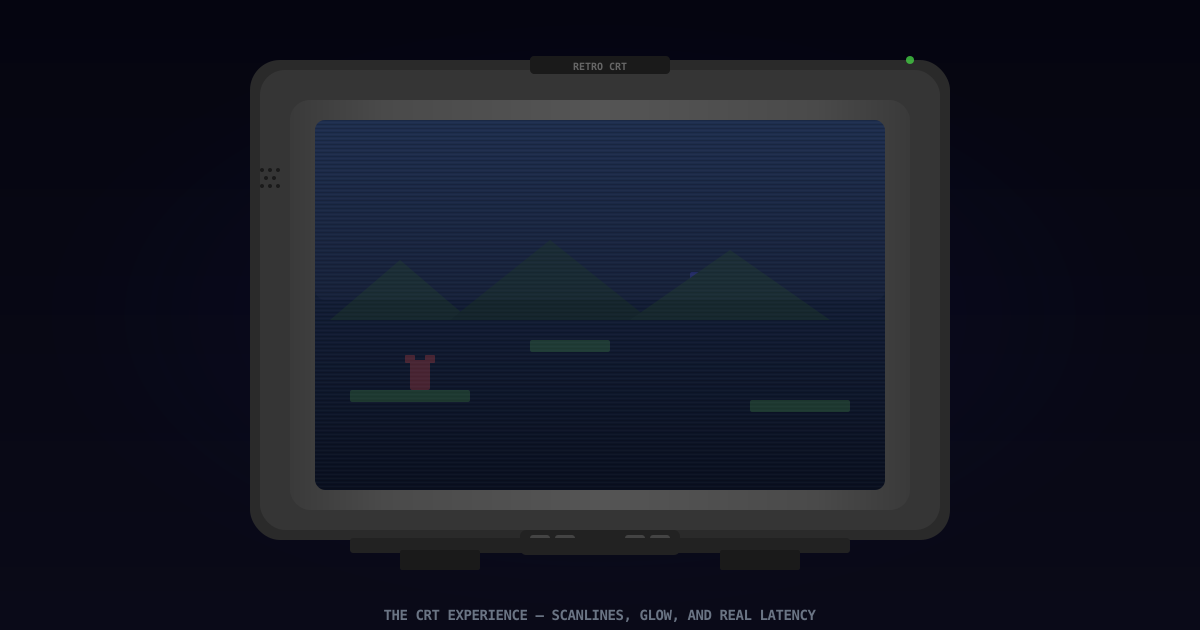
CRT TVs and Retro Games: Why Old Screens Changed the Feeling of Play
CRT televisions didn't just display retro games — they shaped how they looked, felt, and played. How scanlines, phosphor glow, zero input lag, and natural anti-aliasing created an experience that modern displays struggle to replicate.
Last updated:
Quick Answer
CRT televisions didn’t just display retro games — they were part of how those games were designed. Scanlines, phosphor glow, zero input lag, and natural color blending all contributed to an experience that modern LCDs and OLEDs can only approximate through shaders and filters. The reason Mega Man’s sprite looks sharp and smooth on a CRT but blocky and jagged on a modern TV isn’t nostalgia — it’s physics. The games were built for the screens they shipped with, and those screens worked differently than anything sold today.
Last Updated
May 28, 2026. Display technology specifications verified against RetroRGB, CRT Database, and manufacturer service manuals. Lag measurements sourced from DisplayLag database and My Life in Gaming testing.
Who This Guide Is For
- Retro gamers deciding whether to hunt down a CRT or use modern display solutions
- Emulation users curious about why CRT shaders exist and what they’re simulating
- Anyone who remembers the warm glow of a CRT and wants to understand what made it special
- Players frustrated by input lag when connecting retro consoles to modern TVs
Key Takeaways
- CRT displays draw images line-by-line using an electron beam scanning across phosphor-coated glass. There is no fixed pixel grid.
- 240p signals use only half the scanlines, creating the characteristic dark-line gaps that retro gamers call “scanlines”
- CRTs have effectively zero input lag because there is no frame buffer — the image is painted as the signal arrives
- Phosphor bloom and color bleed smooth pixel edges in ways that artists used deliberately, creating details that vanish on pixel-perfect LCDs
- Modern solutions exist — upscalers like the RetroTINK, FPGA consoles, and CRT shaders — but none perfectly replicate the CRT experience
How a CRT Actually Works
Understanding why CRTs look different requires understanding how they work. It’s not magic — it’s an electron gun firing a beam at phosphor-coated glass.
The Scan
Inside a CRT, an electron gun at the back of the tube fires a stream of electrons toward the screen. Electromagnets steer the beam left-to-right across each horizontal line, then snap it back to the left and down one line. This happens roughly 15,750 times per second for standard-definition (15.7 kHz) displays.
The inside of the glass is coated with phosphors — chemicals that glow when struck by electrons. There are three phosphor colors: red, green, and blue. The beam intensity controls how brightly each phosphor glows, creating every color your eye perceives.
240p and Scanlines
Here is where it gets interesting. A standard NTSC broadcast signal is 480i — 480 visible lines, drawn in two alternating fields of 240 lines each. But retro game consoles don’t output interlaced video. They output 240p — 240 lines drawn progressively, with the CRT skipping every other line entirely.
Those dark gaps between the drawn lines are what retro gamers call “scanlines.” They aren’t a defect. On a properly calibrated CRT, scanlines create natural separation between rows of pixels, giving sprites definition and depth. Artists on the NES and SNES knew these gaps would be there and used them to create the illusion of more detail than the raw pixel count would suggest.
 The same 240p signal displayed on a CRT (left) versus a raw LCD (right). The CRT’s scanline gaps and phosphor bloom smooth the pixel transitions. The LCD reveals every hard edge that was never meant to be seen.
Why Pixels Look Different on CRT
On an LCD, each pixel is a fixed physical square with precise edges. A red pixel at position (100, 50) stays at (100, 50) and stays exactly red.
On a CRT, there is no fixed pixel grid. The electron beam scans continuously. The phosphors glow and fade over microseconds. Adjacent colors bleed into each other. The result is a natural anti-aliasing effect that smooths jagged edges.
The most famous example: Sonic the Hedgehog’s eyes on the Sega Genesis. On a CRT, the single white pixel of Sonic’s eye blooms outward, blending with the surrounding blue fur to create a natural-looking eye. On an LCD, it’s a harsh white square. The sprite was drawn with CRT bloom in mind.
Input Lag: The Real CRT Advantage
The single biggest reason competitive retro gamers still use CRTs is input lag — or rather, the absence of it.
Where Lag Comes From
When you press a button on a controller:
- The console reads the input (less than 1ms typically)
- The console renders the next frame (16.67ms at 60fps)
- The signal travels to the display (negligible for analog)
- The display processes and shows the image
Step 4 is where the difference lives. A CRT draws the image as the signal arrives. The phosphors begin glowing within microseconds. Total display latency: effectively zero.
A modern LCD or OLED receives the signal, buffers it, scales it to the panel’s native resolution, applies color processing, motion smoothing, and de-interlacing — even in “game mode,” this takes 15-50ms. Outside of game mode, it can take over 100ms.
What That Means in Practice
At 60 frames per second, one frame equals 16.67ms. If your TV has 33ms of input lag, you are always 2 frames behind the game world. In a game like Punch-Out!! where you need to dodge on specific visual cues, 2 frames of lag is the difference between a knockout and a TKO.
Speedrunners measure lag in single frames. Many world-record-eligible runs require original hardware on a CRT because emulators and modern displays introduce variability in timing that makes frame-perfect tricks inconsistent.
 Input lag comparison: CRT at sub-1ms versus typical LCD game mode at 30-50ms. At 60fps, the LCD player is always seeing and reacting to a world that’s 2-3 frames old.
The CRT Market in 2026
If you want a CRT in 2026, you have options — but they require effort.
Consumer CRTs
The TVs people threw away between 2005 and 2015 are now in demand. A good-condition 20-27 inch Sony Trinitron with component input goes for $50-200 on Facebook Marketplace. Larger 32-36 inch models are often free because they weigh over 150 pounds and nobody wants to move them.
What to look for:
- S-Video input minimum, component/RGB ideal
- Aperture grille (Trinitron, Diamondtron) for sharp scanlines OR shadow mask (JVC D-Series, Toshiba) for smoother, more arcade-authentic look
- Geometry: flat-screen CRTs (WEGA, FD Trinitron) often have worse corner geometry than curved tubes
- Hours of use: consumer TVs don’t have hour meters; judge by brightness and burn-in
Professional Monitors (PVM/BVM)
Sony’s Professional Video Monitors and Broadcast Video Monitors represent the peak of CRT technology. They support native RGB input, have razor-sharp scanlines, perfect geometry, and were built for 24/7 operation in broadcast studios.
The catch: a 20-inch PVM costs $500-1,500 in 2026. A 20-inch BVM can exceed $3,000. These prices reflect the fact that nobody is making new CRTs, and PVMs were never produced in consumer quantities.
Common Mistakes
Connecting a retro console directly to a modern TV’s composite input. Modern TVs use cheap analog-to-digital converters that add 50-100ms of lag and produce a smeared, ugly image. If you must use a modern TV, run through an upscaler.
Buying a CRT without testing it first. Always test: geometry (grid pattern), convergence (white crosshatch), brightness (does it look dim even at max?), and burn-in (solid white/red/green screens). A CRT that looks “okay” in photos may have severe issues in person.
Using RF when better connections are available. RF (the screw-on coaxial connector) combines video and audio into one noisy signal. Composite is a moderate improvement. S-Video is a large jump. Component and RGB are transformative. Use the best input your CRT and console both support.
Author Tip
The single best upgrade for any retro gaming CRT setup is a set of quality cables. A $10 eBay composite cable introduces noise, checkerboarding, and audio buzz. A properly shielded S-Video or RGB SCART cable from a reputable maker (Retro Gaming Cables UK, Insurrection Industries) costs $25-40 and transforms the image. Most people who think CRTs look “bad” have only seen them through cheap cables.
Sources
- RetroRGB — CRT Guide — Comprehensive CRT reference covering models, inputs, and calibration. https://www.retrorgb.com/crt.html
- CRT Database — Community-maintained CRT specifications and reviews. https://crtdatabase.com/
- DisplayLag Database — Measured input lag across hundreds of display models. https://displaylag.com/
- 240p Test Suite — Artemio’s CRT calibration ROM for multiple consoles. https://artemiourbina.itch.io/240p-test-suite
- My Life in Gaming — RGB Master Class — Definitive video series on getting the best picture from retro consoles.
FAQ
Can I damage a CRT by using it wrong? Yes. Feeding a 480p or higher signal into a standard-definition (15kHz) CRT can damage it. Most consumer CRTs only accept 240p and 480i. Check your display’s specifications before connecting anything that outputs 480p or above.
Do CRT shaders on emulators look as good as a real CRT? Not quite, but they’re extremely good in 2026. RetroArch’s CRT-Royale and CRT-Guest-Advanced shaders running on a 4K OLED can simulate scanlines, phosphor mask patterns, and bloom with impressive accuracy. The remaining gap is motion clarity — CRTs have instant pixel response, while even the best OLED has 0.1-1ms GtG. It’s close enough that many retro gamers are satisfied with shaders.
Why do some CRTs look different from others? Two main technologies: aperture grille (Sony Trinitron, Mitsubishi Diamondtron) uses vertical wires stretched across the screen, producing bright images with distinct horizontal scanlines. Shadow mask (most other brands) uses a metal sheet with holes, producing a softer, more organic image. Neither is objectively better — it’s preference. Arcade cabinets almost universally used shadow mask tubes.
Is a CRT dangerous to open? Absolutely yes, and you should not do it without training. The tube stores thousands of volts even when unplugged. The suction cup on top of the tube (the anode cap) connects to a high-voltage lead that can deliver a fatal shock. CRT repair requires discharging the tube safely — a procedure you should only attempt after proper research and with appropriate tools.
Are CRTs still being manufactured? No. The last CRT factory — Videocon in India — ceased production in 2015. Every CRT in existence is a finite, degrading resource. This is why PVMs keep getting more expensive and why the retro gaming community emphasizes proper care and repair knowledge.
Frequently Asked Questions
- Why do retro games look better on a CRT TV?
- Retro games were designed and tested on CRT displays. Developers used the CRT's natural characteristics — scanline gaps, phosphor bloom, color bleeding, and slightly soft focus — as part of the visual design. Pixels on a CRT don't have sharp square edges; they blend and glow, creating smooth gradients and details that disappear on sharp modern LCDs. Additionally, CRT TVs have effectively zero input lag, which matters for games that require frame-precise timing.
- What are scanlines and why do retro gamers want them?
- Scanlines are the visible horizontal gaps between scanned lines on a CRT display. On a 240p signal — the resolution of most retro consoles — the CRT only draws every other line, leaving dark gaps. Artists used these gaps to create the illusion of more detail and smoother gradients. Modern 'scanline' filters on emulators attempt to recreate this effect digitally.
- What's the best CRT for retro gaming?
- Sony PVM (Professional Video Monitor) and BVM (Broadcast Video Monitor) CRT displays are the gold standard: they support RGB input, produce exceptionally sharp scanlines, and have perfect geometry. For consumer CRTs, the Sony Trinitron line (using aperture grille technology) and JVC D-Series (using shadow mask) are highly regarded. The best CRT for you depends on what inputs your consoles use and how much space you have.
- Does CRT input lag really matter?
- Yes, especially for games requiring frame-perfect inputs. A CRT television has zero to sub-1ms display latency. A typical modern LCD TV has 15-80ms of input lag in game mode, and over 100ms with post-processing enabled. In a game running at 60fps, 16ms equals one frame. By the time you see an enemy on a modern TV, you could be 2-5 frames behind the action.
- Can I use a modern TV for retro gaming?
- Yes, but you'll need additional hardware: a good upscaler like the RetroTINK or OSSC (Open Source Scan Converter), or an FPGA-based console like the Analogue systems. These convert the console's native 240p/480i signal to HDMI at the correct resolution with minimal lag. Emulators on PC with CRT shaders are another practical option.